Find your starting point.
Sign in, choose a location, and let the available world data load around your camera.
CHOOSE A LOCATIONTurn a location into something of your own. Place props, fine-tune your scene, and export your map in a focused 3D workspace.
Private preview. Sign in with your studio account.
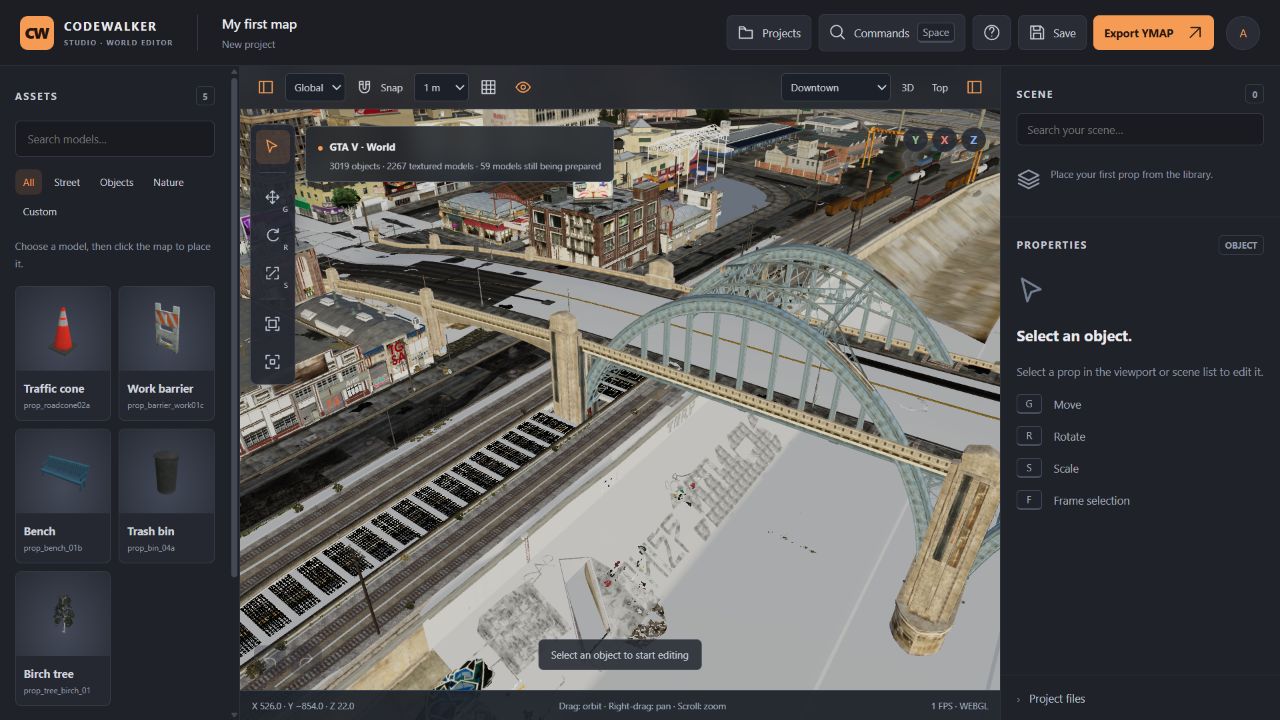 REAL EDITOR CAPTURE
Three steps to get your project moving.
Sign in, choose a location, and let the available world data load around your camera.
CHOOSE A LOCATIONPick a prop from the library and click to place it. Move, rotate, and scale with familiar handles.
GRS YOUR EVERYDAY TOOLSSave your project to your account. Export YMAP XML to continue your workflow in CodeWalker.
YOUR PROJECT, READY FOR THE NEXT STEPAxis controls, grid snapping, and numeric transforms help you get every prop into place.
Search your object list, focus a selection, or isolate a prop while you work on the details.
Keep projects in your account, undo changes, and download a project file for your own backup.
Open the editor and sign in with the credentials provided by the studio administrator. Choose a location, then click a prop in the library and place it on the map.
World data is still being prepared. Available models and textures load around your camera, and more content appears as preparation progresses.
You can download your project as JSON or export your placed objects as YMAP XML. Use CodeWalker to convert the XML into a binary .ymap file for your game workflow.